My Android phone had this habit of running hot at the worst times. Not with warnings, not dramatically. Just quietly warm in my hand when I least wanted it to be.
I had sort of accepted it. Gaming for an hour, navigating while charging, a video call on a summer afternoon. Heat came with the territory I told myself.
Then one evening it stopped feeling like background noise. I was mid-game, charger plugged in. The back of the phone went from warm to genuinely hot. The kind where you shift how you are holding it. I closed the app, unplugged it, set it face-down on the desk.
Two minutes later. Still hot.
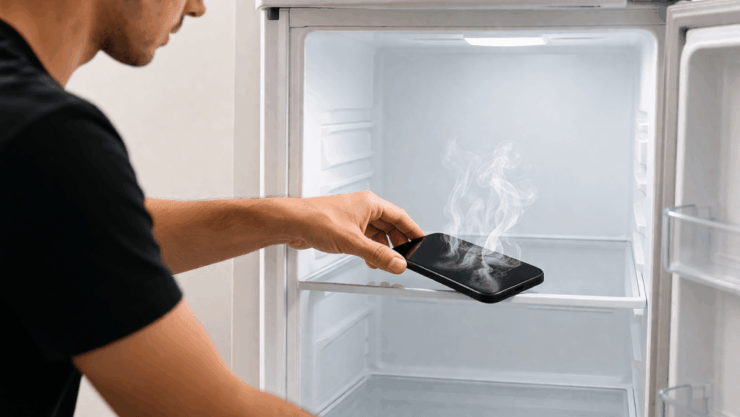
So I opened the fridge and slid the phone onto the middle shelf. Cold fixes hot right? Five minutes later I took it out. Cool to the touch, back to normal. I remember feeling quietly pleased with myself.
I did this three or four times over the next couple of months. Then things started going slightly wrong in ways I could not immediately explain.
The first signs something was off with my Android phone
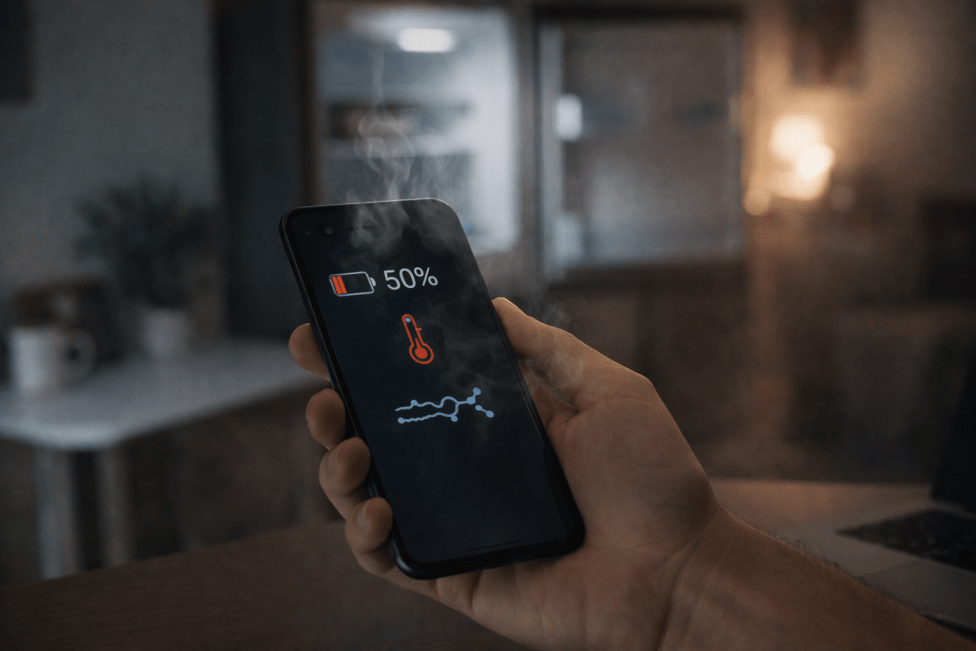
The battery went first. Not dramatically. Just noticeably quicker than before. A gaming session that used to take me from 80 down to around 60 percent was now hitting 50 or lower.
The phone also started heating up faster than it used to. Activities that had only ever made it mildly warm were now pushing it into uncomfortable territory within minutes.
One morning, it felt sluggish scrolling through apps. Just a half-second heavier than normal. I blamed a bad update, cleared some cache, and moved on.
It took a while to connect all of it back to the fridge. When I finally did I went and read what the manufacturers actually say. Turns out I had been quietly doing something damaging for months without realising it.
Why it felt like it was working
The phone cooled down fast. The temperature dropped within minutes, and you pick it up, it feels fine, and you carry on. Immediate feedback that the problem is solved.
What you do not see is what happens inside during those five minutes.
A household fridge runs at around 3 to 5 degrees Celsius. My phone after heavy gaming was probably sitting above 40 degrees internally. That is a swing of more than 35 degrees in under a minute.
When a warm object enters cold damp air, moisture condenses on every surface it can reach. Including surfaces inside the phone you cannot see and cannot dry.
What was actually happening inside
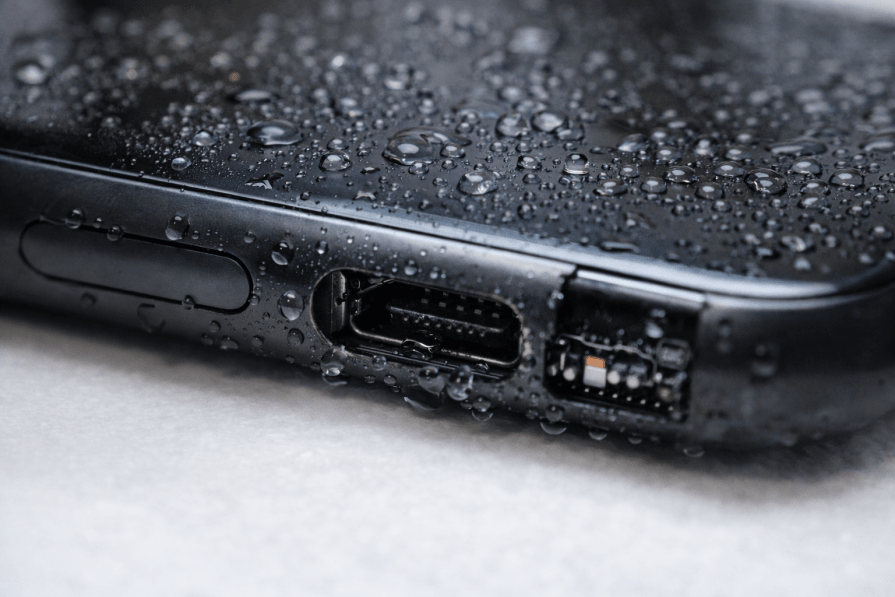
Condensation does not politely stay on the outside. Phones have gaps everywhere. The charging port, speaker mesh, microphone openings, the seam around the SIM tray. Moisture gets drawn into these through capillary action and sits quietly against circuit board traces and battery contacts.
I figured the IP67 rating on my phone covered me. It does not cover this. Google’s official Pixel 8 Safety and Regulatory Guide specifies normal operation between 0 and 35 degrees Celsius and warns against rapid temperature change. IP ratings are tested with clean water at stable temperatures. Condensation from thermal shock is an entirely different situation.
Samsung’s official Galaxy device documentation lists the same operating range and notes that using devices outside normal temperature conditions affects device behaviour and thermal management.
I was not cooling the phone safely. I was pushing it through a temperature shock, and the moisture forming inside during those five minutes was quietly doing the damage.
What the battery research shows
The condensation explains the early issues. But the battery drain had a second cause underneath it.
Researchers at SLAC National Accelerator Laboratory published findings in Advanced Energy Materials in August 2021. Using X-ray analysis they found that cold temperatures cause lithium-ion battery cathode particles to contract, crack and in some cases detach from surrounding materials. Batteries stored below freezing lost up to 5 percent more capacity per 100 charge cycles than those kept at warmer temperatures.
A household fridge is not below freezing. But the principle is the same. Sudden thermal contraction stresses battery materials in ways that accumulate across repeated exposure. One session is probably fine. Three or four over two months is a different story.
The timing of my battery drain lines up almost exactly with when I started using the fridge.
What to do instead
Unplug the charger first. Charging generates its own heat and a phone trying to cool down while still plugged in is fighting two sources at once.
Take the case off. Thick silicone cases trap heat against the back panel. Removing it lets the glass or metal radiate heat directly. The difference is faster than most people expect.
Turn the screen off and close heavy apps. A phone sitting idle cools significantly faster than one with the display on.
Set it somewhere shaded with airflow. A flat spot near an open window is more than enough. Under normal conditions an overheated Android phone returns to a comfortable temperature within 15 to 20 minutes this way.
It felt like a harmless shortcut for my Android phone. A few minutes in the cold, problem solved. What I did not see was the slow accumulation of moisture and battery stress happening out of sight. Now I just let it cool down the slow way. It takes longer. It causes a lot less damage.
Frequently Asked Questions
Is it safe to put an Android phone in the fridge to cool it down?
No. The rapid temperature change causes condensation to form inside the device and puts thermal stress on the battery.
What temperature is an Android phone designed to operate in?
Google Pixel and Samsung Galaxy devices are both officially rated for ambient operating temperatures between 0 and 35 degrees Celsius, as specified in their safety and regulatory documentation.
How long does an Android phone take to cool down safely?
Most overheated Android phones return to a comfortable temperature within 15 to 20 minutes if the charger is unplugged, the case is removed and the screen is left off in a ventilated spot.
If you've any thoughts on I Put My Overheating Android Phone in the Fridge, and it Slowly Got Worse, then feel free to drop in below comment box. Also, please subscribe to our DigitBin YouTube channel for videos tutorials. Cheers!

![Apple Watch Battery Drain After watchOS 10 Update - How To Fix [2024]](https://cdn.digitbin.com/wp-content/uploads/Apple-Watch-Battery-Drain-After-watchOS-10-Update-How-To-Fix-2024-520x292.png)