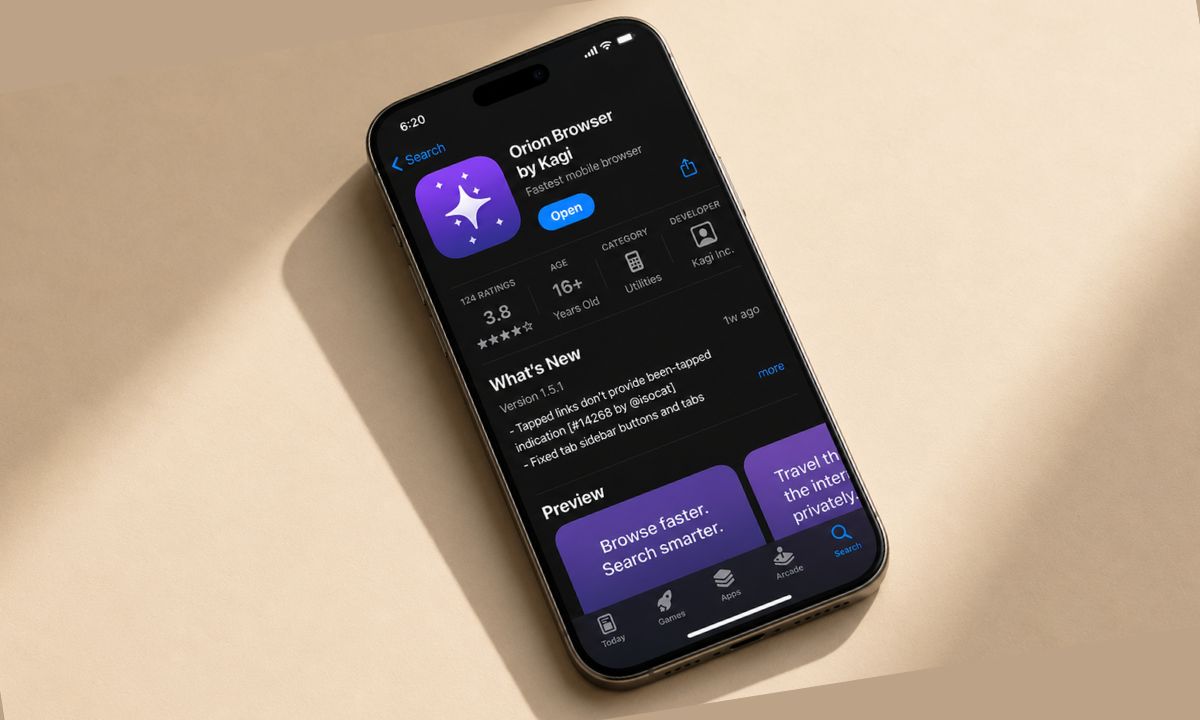
I put Orion browser on my iPhone mostly out of curiosity. It is a WebKit browser that runs actual Chrome extensions. I felt it was some gimmick that sounded more like marketing talk until I installed the app and watched it work.
Two weeks later, Safari has not been my default browser once. Not because Orion is faster, though it usually is, but because it finally closed the one gap that made every other iPhone browser feel like a downgrade.
Here is what running Chrome extensions on iPhone actually looks like in an everyday use case, including the parts that still feel unfinished.
TL;DR: Orion runs real Chrome and Firefox extensions on iPhone through the WebExtensions API layered on top of WebKit, not a jailbreak or workaround. Support is still officially in beta, and only a curated set of extensions work reliably, but uBlock Origin, 1Password, and Dark Reader all function close to their desktop versions. Battery life stayed close to Safari, page loads felt noticeably cleaner with ads gone, and the rough edges are mostly extensions that expect desktop-level APIs Apple does not expose on iOS.
How Chrome extensions actually run on an iPhone browser?
Every iOS browser has to use Apple’s WebKit engine, including Chrome for iPhone, so none of them can run Chromium’s native extension system directly.
Orion gets around this by implementing the WebExtensions API, the shared standard behind Chrome and Firefox extensions, directly on top of WebKit. That is the actual trick. Not sideloading, not a jailbreak, just a compatibility layer that lets an extension built for Chrome install and run inside a WebKit shell.
Kagi, the company behind Orion, describes iOS extension support as preliminary, with a smaller working set than the desktop version because Apple restricts which APIs any non-Safari browser can access.
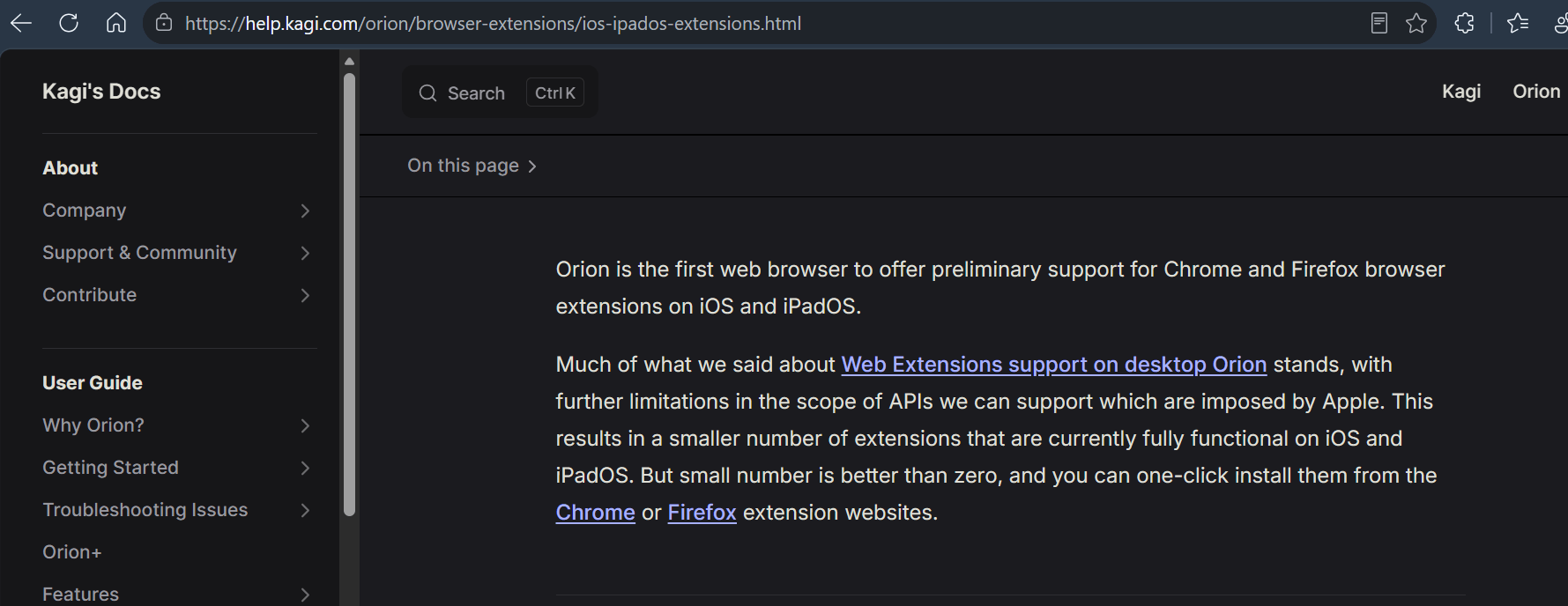
Installing one takes a toggle and a tap, and the process is close enough to the Chrome extension setup on iPhone that I did not need to look anything up after the first time.
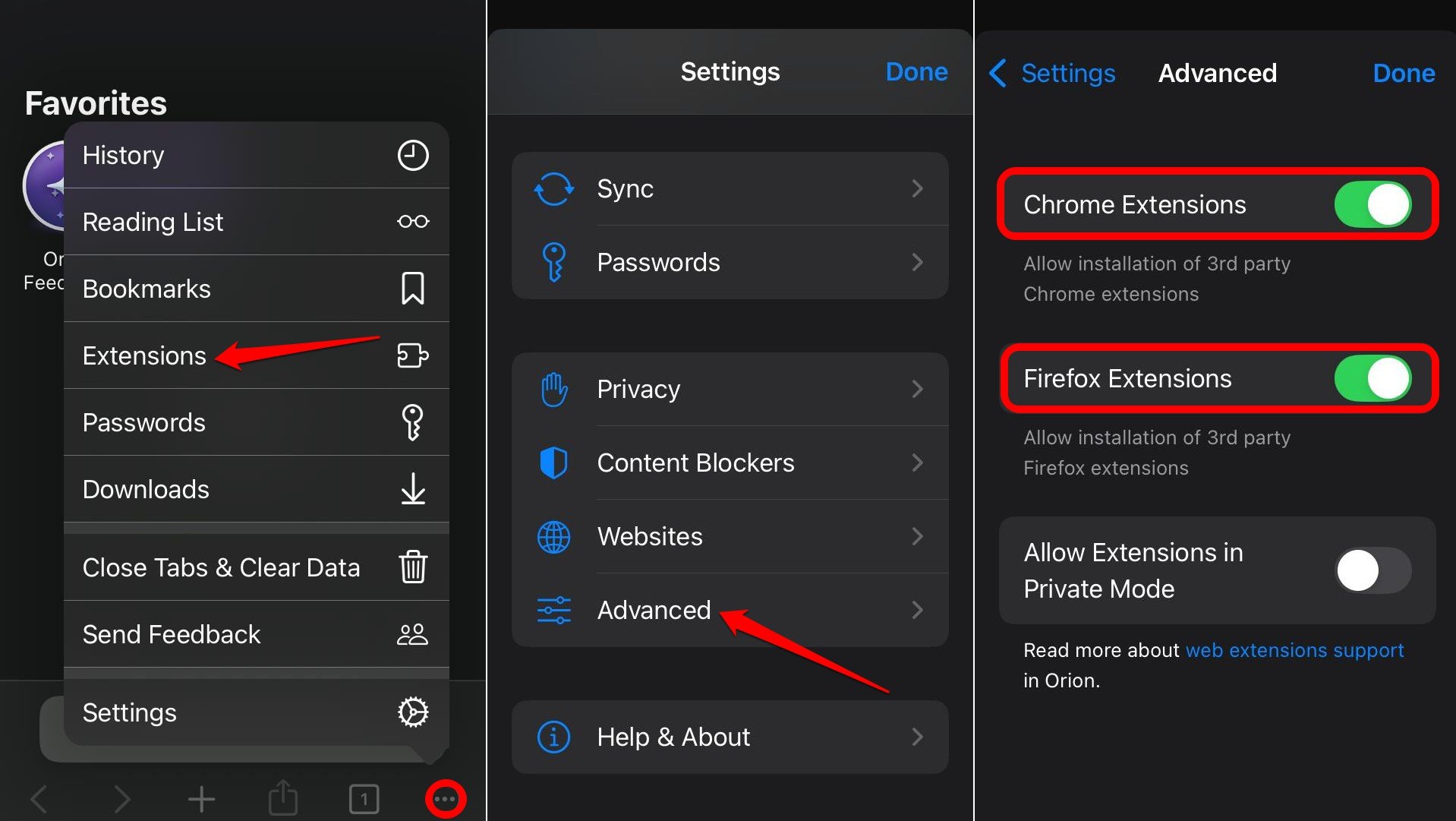
To enable Chrome extensions on iOS,
Go to Extensions settings on Orion, and under the Advanced tab, enable Chrome or Firefox extensions. Then install straight from the Chrome Web Store or Firefox Add-ons page inside Orion itself.
Safari’s own extensions do not carry over, which surprised me the first week. Apple builds Safari extensions on a closed API that has nothing to do with WebExtensions, so anything written specifically for Safari stays locked to Safari.
uBlock Origin is the extension that changed how I browse
uBlock Origin was the first thing I installed, and it is the reason Orion stuck with me. News sites that used to load a wall of ads before the article text now render clean on the first paint, the kind of difference you stop noticing consciously after a few days because your eyes just stopped bracing for it.
Scroll quality dropped too. A few shopping sites that used to stutter while tracking scripts loaded in the background now scroll the way they should have all along.
It is not flawless. A couple of video streaming sites broke their play button entirely with uBlock active, and I had to disable the extension per site rather than block specific rules the way I would on desktop.
Filter list updates also lag behind the desktop version by a day or two in my experience, so a brand new tracker sometimes slips through for a short window before the list catches up.
| Extension | Curated list | Works on iPhone | Notes |
|---|---|---|---|
| uBlock Origin | Yes | Yes | Breaks play buttons on some streaming sites |
| 1Password | Yes | Yes | Passkey support worked in testing |
| Dark Reader | Yes | Yes | Applies automatically per site |
| Grammar checker (non-curated) | No | Inconsistent | Froze inside rich text editors |
| Safari native extensions | — | No | Built on a closed API, not WebExtensions |
1Password and Dark Reader work close to their desktop selves
1Password autofill inside Orion behaves almost exactly like the Mac extension, which was not something I expected from a mobile browser. Tapping a login field pops the same suggestion bar, and passkey support worked on the two sites I tested it against.
Dark Reader is the extension I did not think I needed until it was there. Forcing dark mode on sites that ignore the system setting stopped being a manual toggle hunt and became automatic, and I noticed myself squinting less while reading at night in bed. Both of these sit on Orion’s own curated extension list, which matters more than it sounds.
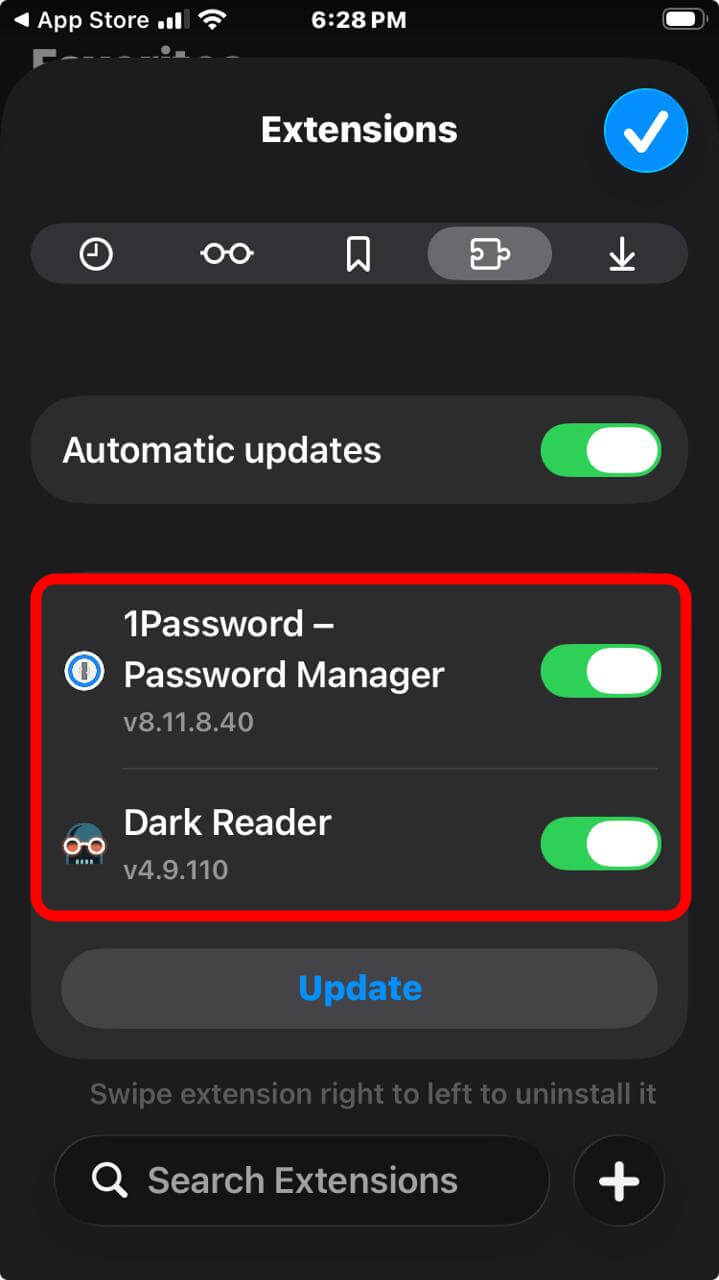
The team behind the browser tests a small set of extensions specifically for mobile compatibility, and the ones on that list have been the most reliable ones in my daily use, unlike some of the workarounds covered in this cross-browser extension guide for desktop.
Extensions outside that curated list are a mixed bag. I tried a grammar checking extension that worked fine on text fields but froze entirely inside a rich text editor, and I ended up removing it after two crashes in one afternoon.
What still feels unfinished about mobile extension support
Background sync is the biggest gap. A couple of extensions that rely on constantly running in the background, the way ad blockers or password managers sometimes do on desktop, behave inconsistently once Orion itself gets backgrounded by iOS.
Tab groups and extension toolbars also take up more screen space than they do on a laptop, so a browser with five active extensions starts to feel cramped on a phone screen in a way it never does on a MacBook.
Extension icons do not always appear where you expect them. Some live in the main toolbar, others get buried inside a menu, and there was no consistent logic I could find for which extensions got top billing.
None of this made me want to go back to Safari. It just means Orion on iPhone still reads like a beta, which, officially, it is.
Battery life held up better than I expected
Running uBlock Origin, 1Password, and Dark Reader together did not visibly hurt battery life over two weeks. My screen on time stayed roughly consistent with a typical Safari week, within a few percentage points either direction on any given day.
The ad blocking likely offset whatever overhead the extension layer adds, since fewer scripts loading per page means less work for the phone regardless of which browser is doing the loading.
Where I did notice a difference was app switching. Orion takes a beat longer to resume from the background compared to Safari, especially with several extensions active, the kind of half-second delay you only clock because Safari trained you not to expect one.
It never felt slow enough to be annoying. Just present, in the way a genuinely new piece of software usually is before it settles.
Is it worth switching to Orion browser on iOS?
If uBlock Origin alone is the reason you have been stuck using Chrome extensions on desktop while suffering through Safari’s more limited content blockers on iPhone, Orion closes that gap in a way nothing else on iOS currently does.
If you rely on a specific niche extension outside the curated list, test it before committing. My experience with anything outside Orion’s own recommendations was inconsistent. Also, I would not trust it for something critical yet.
I am not calling Orion a great alternative to Safari. The setbacks make it feel unfinished. But it is the first time an iPhone browser has made me stop missing my laptop’s extension bar, and two weeks in, that has been enough.