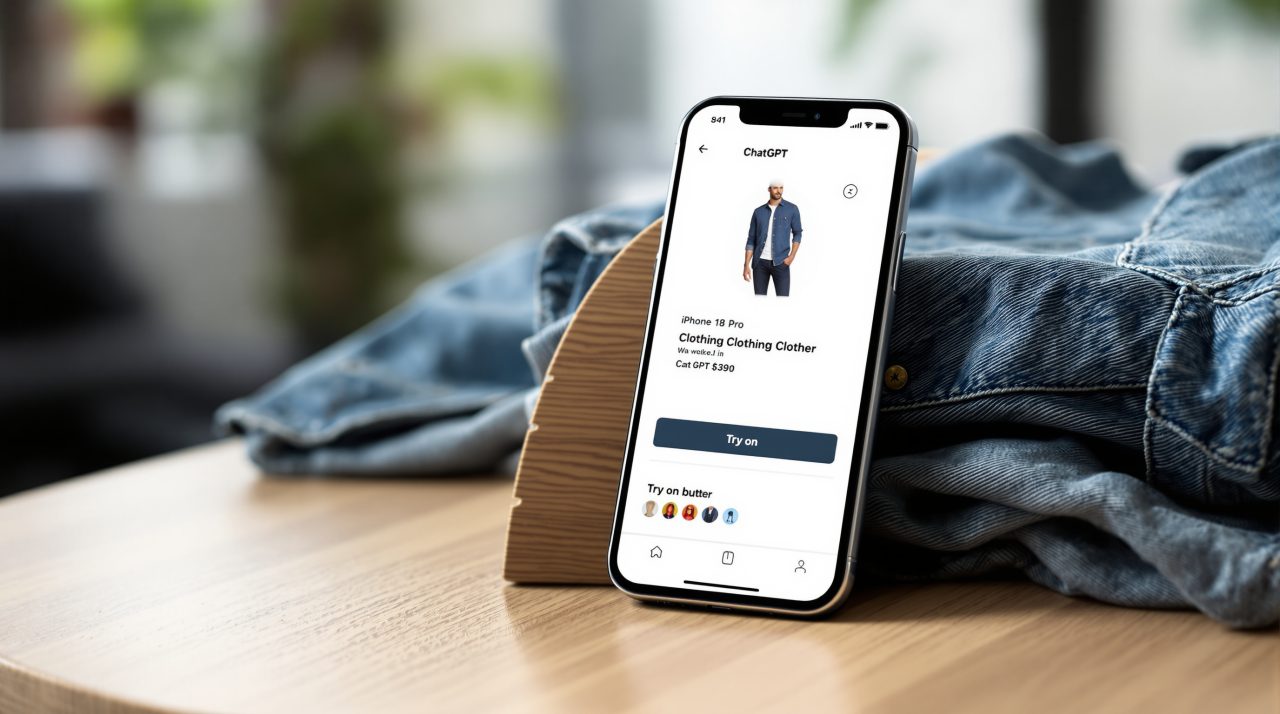
ChatGPT now puts a Try on button on clothing and accessory listings, letting you generate an image of yourself wearing the item from a selfie, according to OpenAI’s October 1 release notes. The same update adds Favorites for saving products and a multi-page document scanner in the iOS camera.
Anyone who has bought a jacket online and returned it a week later will see the pitch immediately. The harder question is what you hand over, because ChatGPT virtual try-on runs on photos of you, and the app keeps them until you delete them.
TL;DR: ChatGPT virtual try-on adds a Try on button to clothing and accessory listings and builds the image from a selfie you upload. Your reference photos are saved for later try-ons, but you can delete them in Settings. Favorites and a Library folder system arrive alongside it, and an iOS document scanner rolls out separately.
How ChatGPT virtual try-on works
A Try on button appears on product listings for clothes and accessories inside ChatGPT. Tap it, upload a selfie, and the app generates an image of you wearing the item using ChatGPT Images.
The model underneath matters here. OpenAI introduced ChatGPT Images 2.5 on September 8, 2026, and describes it as better at keeping people recognizable from reference photos, with natural lighting and textures. That is the property a try-on feature lives or dies on.
| Feature | Where it works | How you reach it |
|---|---|---|
| Try on | Mobile and web | Try on button on clothing and accessory listings |
| Favorites and folders | Mobile and web | Save any product, organize in your ChatGPT Library |
| Multi-page scan | iOS, rolling out | Camera, three-dot menu, Scan |
The shopping features share a surface, but the scanner belongs to a different job entirely, which we get to below.
Where your reference photos end up
OpenAI saves the photos you use for try-ons so you do not have to upload them every time. You manage them under Settings, then Personalization, then Reference photos.
Convenience and retention come as a pair. Most people will tap Try on once, enjoy the result, and never open that settings screen again. That is the detail most coverage will skip.
If you would rather not leave a full-length photo of yourself sitting in an account, deleting it after a shopping session takes a few taps. It is a habit, not a setting you can set once.
Favorites and the ChatGPT Library
You can save any product to Favorites or create a folder to organize your finds in your ChatGPT Library. OpenAI lists this on mobile and web.
Think of the situation where you ask for three jacket options on a Tuesday and want to compare them on Saturday. Before, that meant scrolling back through a long chat. Now the products live in one place, next to the try-on images.
It also quietly changes what ChatGPT is for. A chat that ends in a saved shortlist looks more like a shopping tool than an answer box, in the same way the ChatGPT health tab turned the app into a place you return to rather than a prompt you type into.
The iOS document scanner
ChatGPT’s camera can now capture multiple pages in a row and combine them into a single PDF, ready to upload to your chat. Open the camera, tap the three-dot menu, and choose Scan.
OpenAI says the scanner is rolling out on iOS, so Android users should not expect it yet, and the notes give no date for them. Rolling out also means your iPhone may not show the Scan option today even on the latest app version.
The practical gain is small and real. A three-page lease no longer arrives as three separate photos that you have to describe in order.
What to check before you rely on try-on
OpenAI’s notes do not list plan restrictions or regional limits for the try-on button, and they do not say how closely the generated image tracks real fit. A rendering shows how a color and silhouette might look on you, not whether the sleeves will be long enough.
Treat the image as a styling aid. For size, return policy, and fabric, the retailer’s own page is still the source that counts. Not a dramatic change, but an honest one: it moves the first look earlier in the process, and leaves the buying decision where it was.
If your account shows the Try on button, test it with one item you were already considering, then check Reference photos so you know what is stored.